K–12
One district option
A Shamokin Area program designed for students across grade levels.

Shamokin Area School District
Dedicated To Excellence In Education

Flexible K–12 learning • Local school connection
SPEAR pairs flexible online learning with personalized planning, local support, district opportunities, and a clear path forward through Shamokin Area School District.
Requesting the form does not complete enrollment or commit your family. SPEAR reviews each returned submission, verifies the request with the parent or guardian, and provides a confirmed start date.
Already enrolled? Go to Current Students & Families →
SPEAR at a glance
Four practical reasons families explore SPEAR—not filler, but the details that shape the experience.
A Shamokin Area program designed for students across grade levels.
Available without tuition for eligible district residents.
Learning Center support is available Tuesday–Thursday, 8–11 a.m.
Students earn a Shamokin Area transcript and diploma after meeting requirements.
Start with the student
Start with what your student needs most. Explore how SPEAR’s flexibility, structure, and local support can help—and the routines that support success in virtual learning.
Choose one to exploreHow learning works
SPEAR uses the same core platform across K–12, but the balance of live connection, independent work, Learning Coach support, and graduation planning changes as students grow.
More guided
 ▶ Watch the K–6 experience
Students begin in Homeroom with a Learning Coach, review the live-lesson schedule posted in course information, and complete assigned Pearson work.
Growing independence
 ▶ Grades 7–8 video planned
Students start with Homeroom, To-do, and Calendar, then use posted teacher office hours, WebMail, feedback, or SPEAR support when a question appears.
Plan-driven
 ▶ Grades 9–12 video planned
Students follow an approved course schedule and graduation plan, using Homeroom, To-do, Calendar, teacher feedback, office hours, WebMail, and local support.
Pearson Connexus organizes courses, assignments, feedback, grades, and course communication. SPEAR adds local staff, district services, planning, and support.
The exact daily schedule follows the student’s current Homeroom, course directions, and approved learning plan.
Stay connected to Shamokin Area teams, clubs, activities, arts, and district experiences.
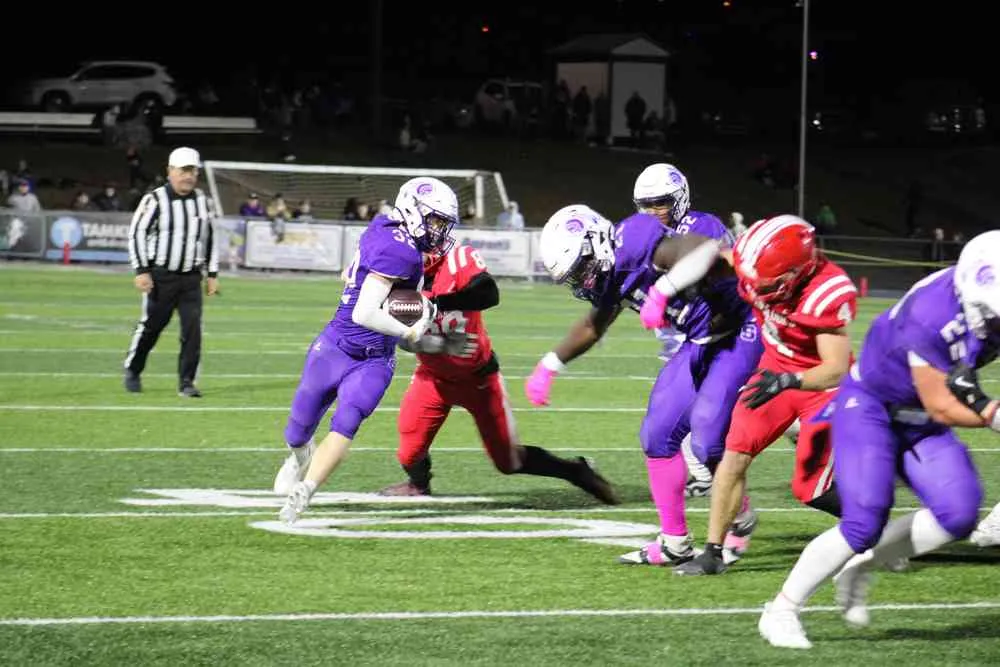



SPEAR students may participate in active Shamokin Area clubs, teams, field trips, arts, activities, and events when they meet the same applicable requirements. Approved in-person courses may include band and orchestra when scheduling and capacity allow.

Eligible SPEAR students can remain connected through Shamokin Area's eSports program, subject to current team, schedule, participation, and academic requirements. Shamokin Area has competed in Rocket League through the Central Susquehanna Esports League.
AI-assisted original created for SPEAR; not a photograph of SASD students or its eSports room.
Connect online academics with technical education and supervised workplace experience.
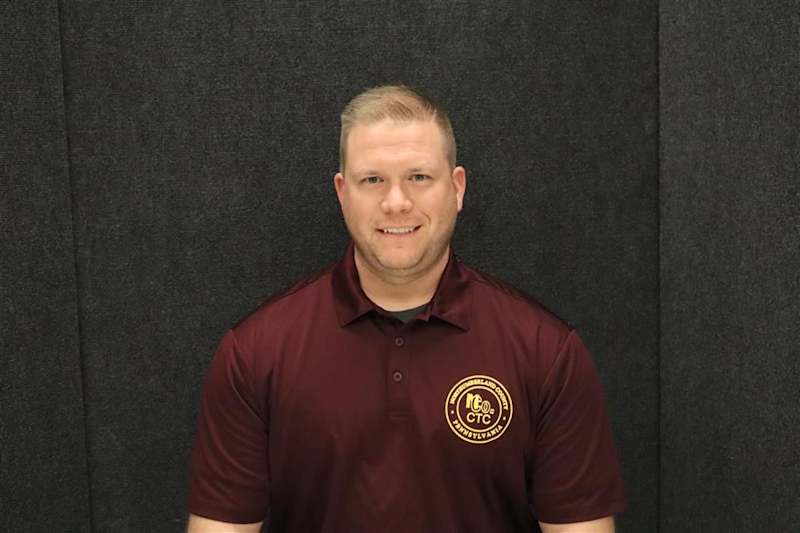

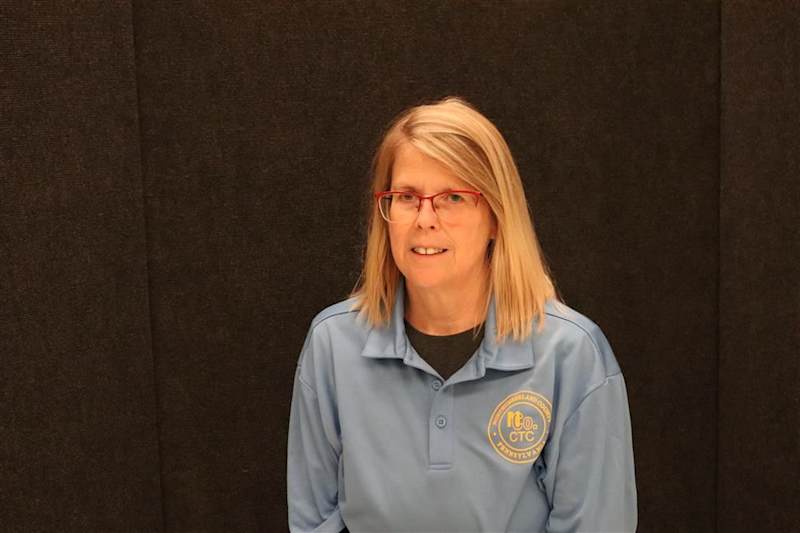

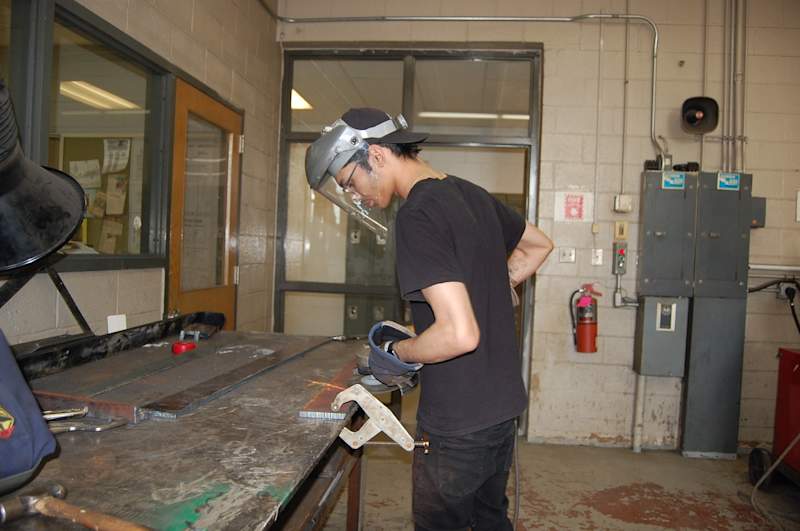
Eligible students may combine SPEAR with an approved NCCTC pathway. Guidance confirms current programs, eligibility, applications, scheduling, transportation, capacity, and how the pathway fits the student's plan.
Photo source: Northumberland County Career & Technology Center.

Co-Op can connect eligible high-school students with supervised workplace experience while they continue an approved SPEAR plan. Guidance confirms eligibility, supervision, scheduling, credit treatment, transportation, and plan fit.
Photo provided by a SPEAR student and used with permission.
Shape coursework, graduation planning, and college-credit options around an approved student plan.


ACE and other approved dual-enrollment routes can allow eligible high-school students to complete college coursework while continuing their SPEAR plan. Guidance confirms the current college, course, eligibility, cost, schedule, and credit treatment.
Official logos: Commonwealth University and Luzerne County Community College. Used with permission; marks remain the property of their institutions.

Pearson's Pennsylvania K–12 catalog can extend options beyond courses offered directly by SASD. Actual availability depends on grade, prerequisites, staffing, scheduling, course status, and the approved plan.
Image source: Pearson.

Eligible students can recover missing credit for previously unsuccessful coursework through an approved course plan. Guidance confirms the course, timeline, assessments, and transcript treatment.
Image source: Pearson.

Guidance reviews completed credits, remaining graduation requirements, and family goals. When appropriate, Guidance maps courses and next steps that may support an accelerated graduation timeline.
Image source: Pearson.
REAL OUTCOMES. REAL VOICES.
Flexible learning matters most when students can see a path forward, families know where support lives, and graduates stay connected to their school.
Real outcomes. Real voices.
Flexible learning matters most when students can see a path forward, families know where support lives, and graduates stay connected to their school.
Among SPEAR seniors who remained enrolled through the school year.
Eligible students may combine SPEAR with approved college courses through current district agreements.
Eligible students may combine SPEAR with approved CTE, Co-Op, and work-based learning experiences.
SPEAR helps the family understand the learning model, setup steps, support routes, and confirmed start date.
REAL OUTCOMES. REAL VOICES.
Why families choose SPEAR.
Flexible learning matters most when students can see a path forward, families know where support lives, and graduates stay connected to their school.
The examples below show where future consented student and family stories can appear. Images and sample wording are illustrative, not real SPEAR testimonials.
“SPEAR gave me a flexible way to catch up and keep working toward graduation while I stayed connected to my school.”
Sample wording only. Replace with a consented, fact-checked student story.
“The Learning Coach tools and local support helped our family build a routine and know where to ask for help.”
Sample wording only. Replace with a consented, fact-checked Learning Coach story.
“I found a path that worked for me, completed my requirements, and still graduated as part of Shamokin Area.”
Sample wording only. Replace with a consented, fact-checked graduate story. Connections Academy program
The platform behind SPEAR
SPEAR pairs Pearson’s national experience and established online-learning program with Shamokin Area’s local people, district services, in-person support, and college, career, and school-life connections.
National experience
Pearson has spent more than two decades supporting online schools. These figures show the scale and experience behind the program SPEAR brings home to Shamokin Area.
Network figures describe Pearson and Connections Academy, not SPEAR enrollment or outcomes.
Made local by SPEAR
Families do not have to choose between a proven national program and people, services, and opportunities rooted in their own district.
Connectivity assistance, field experiences, eligibility, schedules, transportation, and availability can vary. Ask SPEAR what is current for your student.
Recent Pearson-reported data
These are Connections Academy network figures published by Pearson. They are not SPEAR-specific outcomes and do not guarantee an individual result.
Read Pearson’s 2025 data release · Read Pearson’s Class of 2026 report
Student + school + home
A Learning Coach is the student’s parent, guardian, or other approved adult who supports the school day from home. The role is simple: help with routines, notice patterns, and connect the student with help. The student owns the work; families do not have to guess how learning is going.
Visibility without hovering
Transparency should lower a family’s worry, not create another full-time task. SPEAR makes important information available when you want to look and sends a clear automated summary at the end of the week.
Automated end-of-week Progress Check
Family schedules get busy and real life is not perfect. The Progress Check lets families start with one reliable summary instead of searching through every Pearson screen or worrying every five minutes.
Each channel has a specific job, so a family can stay connected without living inside every account.
Notification delivery depends on each account’s settings, and systems may update at different times. Pearson Observer remains the direct view into coursework and grades. Current families can review the family account guide.
LOCAL SUPPORT
Visit the Learning Center for in-person help, or use a short video to see the SPEAR story before requesting more information.
Local support
Local support has two sides: a place to build a productive school day and focused tutoring when coursework needs extra attention. Select either route to see how it works.

Need a boost? The Learning Center gives students a structured space to work, build confidence, and connect with support teachers. The team can help your family plan a next step when coursework or the daily routine feels difficult.
Breakfast is available to students who arrive at the start of school; lunch is available to students who stay until 11:00 AM. Families are encouraged to call ahead.
Call SPEAR: 570-509-2870
After-school tutoring adds focused academic help beyond the regular day. Students can bring a difficult concept, current assignment, or pattern of missing work and leave with a clearer next step.
Course-specific help is also available through teacher office hours. Times, access details, and support availability can change; current course and SPEAR directions control.
Quick answers for prospective families
Choose a question for a short answer and a useful next step. SPEAR can help your family understand how the program could fit your student.
Yes. SPEAR is the district’s K–12 virtual learning program, connecting students to local staff, support, programs, and school events.
See the program factsNo tuition is charged to eligible families who live in Shamokin Area School District. Requirements may vary; SPEAR can confirm what applies to your student’s plan.
Ask about eligibilityThese pathways may be available when your student is eligible and the option fits an approved academic plan.
SPEAR students may participate in active Shamokin Area clubs, teams, field trips, arts, activities, and events when they meet the applicable requirements.
Explore school-life opportunitiesEvery enrolled SPEAR student receives a district-issued Chromebook and charger.
Required services and supports continue according to each eligible student’s current plan and district process. Contact SPEAR to identify the appropriate district contact.
Ask for a student-support conversationNo single format is right for every student. SPEAR requires regular work, communication, a dependable routine, and family monitoring.
Think about your student’s routine, independence, and support needs. SPEAR or Guidance can help your family consider fit.
Review what virtual learning requiresNo. Requesting a form does not complete enrollment or commit your family.
Prefer a conversation? Email the SPEAR team or call 570-509-2870.
Already enrolled? Find quick guides for your school day, accounts, and support.
READY FOR THE NEXT STEP?
No instant commitment. We guide your family from the first request to a confirmed start and setup plan.
Ready for the next step?
No instant commitment. We guide your family from the first request to a confirmed start and setup plan. Ask SPEAR what orientation and setup support are available for your family.
MORE COURSE CHOICE
Pearson curriculum can extend approved course options. Guidance confirms availability for each student’s plan.